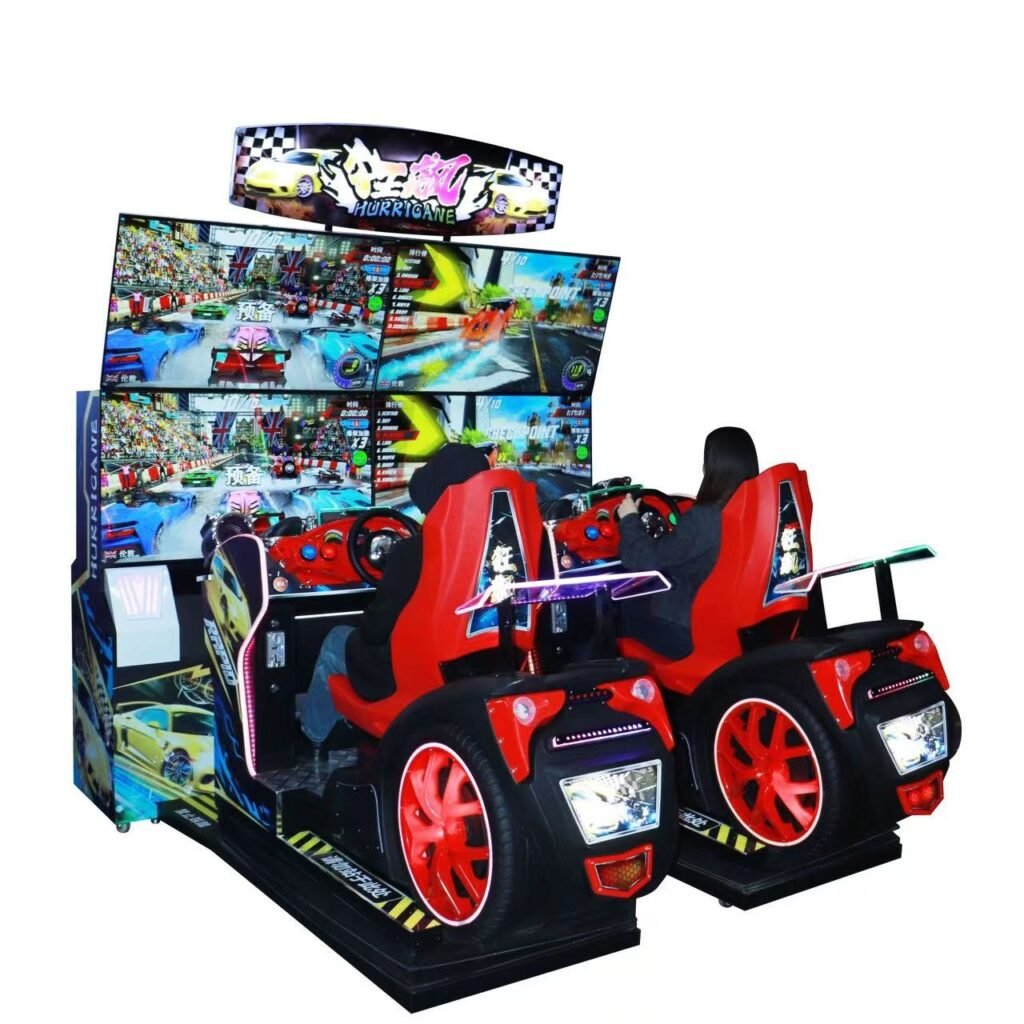
Start a round using the configured payment method and follow the on-screen race with the handlebar controls at your riding station. Beat the checkpoint timer, drift through corners and link cabinets for exciting head-to-head races.
SPECIFICATIONS
Product Specifications
Product Name
Speed Dash
Model
Dimensions
Power
Weight
Players
Voltage
Screen Size
55-inch
Link Play
Link cabinets for head-to-head races.
Product Photo Details
WHY OPERATORS CHOOSE IT
Product Features
Handlebar-Controlled Racing
Speed Dash pairs ride-on stations with handlebar controls, giving players a direct way to steer through the on-screen racing challenge.
Screen-Led Riding Challenge
Players follow the on-screen race while using the riding controls. The display and station arrangement create a distinct attraction within a racing zone.
Confirm the Supplied Game Package
Agree the game version and any linking requirements before ordering. Do not assume the tracks, motion hardware or controls of Speed Surpass are identical.
GAME PLAY
How to Play
STEP 01
Take a Riding Position
Use an available riding station according to the cabinet’s operating guidance.
STEP 02
Activate the Race
Start with the configured payment method and follow the game-selection prompts.
STEP 03
Use the Riding Controls
Follow the on-screen prompts and steer with the handlebar controls.
STEP 04
Check the Finish Result
Review the displayed race result when the round ends.
GAME PLAY
How to Play
Start a round using the configured payment method and follow the on-screen race with the handlebar controls at your riding station. Beat the checkpoint timer, drift through corners and link cabinets for exciting head-to-head races.
The existing range information mentions link play. Confirm compatibility, software and the connection arrangement for this exact model before relying on it in a layout.
Those details require confirmation for the supplied package. Neither a specific motion system nor a guaranteed track list is established by the cabinet name.